Bill every customer. Know your margin on each.
The Partner Platform runs cloud resale from one tenant. Onboard channel customers, assign their AWS, Azure and Google Cloud accounts, apply your billing rules, and issue statements that show billed cost, partner cost and margin on every line.
From account to invoice in five steps
This is the order a partner works through each billing period. Every step happens in the same tenant.
Onboard the customer
Create a channel customer, classify it as Managed or Managed with Access, and start it on a trial.
Assign accounts
Map AWS accounts, Azure subscriptions or Google Cloud projects to the customer. An account belongs to one customer at a time.
Apply billing rules
Add uplift, discounts, fixed fees, support charges or custom line items per account or per billing family.
Prepare statements
On the 2nd of each month, last month's statements are prepared for every customer and marked Final or Estimated. Re-prepare any time data arrives late.
Export and invoice
Send each customer a PDF invoice, or export statements for your accounting system.
Five views, one job: get billing right
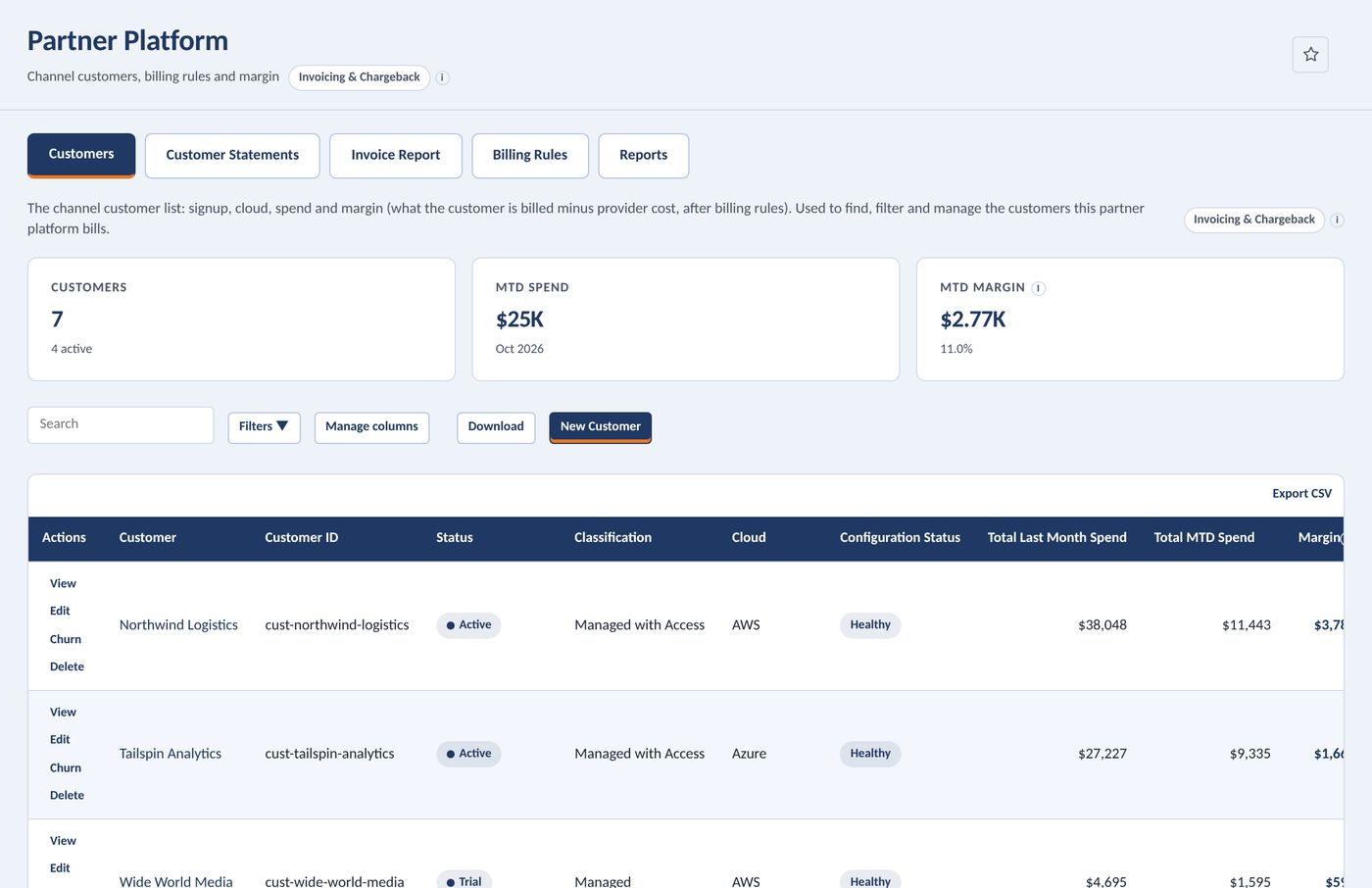
Every channel customer, with spend and margin.
One list for the whole book of business: status, classification, cloud, configuration health, last month's spend, month-to-date spend and margin.
- Customer count, month-to-date spend and margin at the top
- Configuration status flags customers missing account assignments
- Switch into any customer to see every page scoped to their accounts
- Assign a content package so a new customer starts with your reports, dashboards and policies
Your pricing, applied before the invoice.
Rules change what a customer is billed: a percentage on spend, a flat monthly fee, a support charge or a custom line item. Each rule is a charge or a credit.
- Scope a rule to one account or a whole billing family
- Rules apply to every customer they target, with a warning when a target has no accounts
- One support rule per customer, any number of others
Know which statements are ready to send.
Per-customer, per-period statements, grouped by cloud, by customer status and by billing account. A statement is Final when its month is fully past with no data gaps, and Estimated otherwise.
- Billed cost, partner cost and margin per statement
- Prepared on a schedule, re-prepared on demand
- Export in five formats
Every invoice, one row per customer per month.
The invoice ledger across any date range, with total invoice cost and a link to each customer's invoice. It also opens the comprehensive monthly Excel workbook for accounting reconciliation.
Thirteen months of the business, by customer.
Cost, partner cost or margin for your top customers as a stacked monthly chart, with a pivot table of every customer underneath.
One formula, checked on every build.
Margin is what you bill minus what the cloud provider charges you, after your rules are applied. The test suite asserts it holds for every customer and in total.
Margin = billed cost − partner cost
Margin % = margin ÷ billed cost × 100
What each cloud supports, and what each state bills
| Billing rule | AWS | Azure | Google Cloud |
|---|---|---|---|
| AWS Support (Developer, Business, Enterprise On-Ramp, Enterprise) | · | · | |
| Azure EA Bill Splitting | · | · | |
| Uplift | · | · | |
| Discount % | · | · | |
| Fixed Fee | · | · | |
| Support Tier | · | · | |
| Custom Line Item |
A custom line item can carry any percentage or flat amount, so AWS and Google Cloud customers can still be priced with an uplift or a fee.
| Customer state | Access | Billed |
|---|---|---|
| Trial | Yes | Monthly |
| Expired Trial | Yes | Never |
| Active | Yes | Monthly |
| Churn Initiated | Until the last-access date, 60 days after the churn month by default | Through the churn month |
| Churned | No | The churn month only |