Cloud cost that reconciles to the cent.
FinOpsRelay brings AWS, Azure, Google Cloud, Kubernetes and AI spend into one FOCUS-shaped ledger, then shows the formula and the SQL behind every number it reports.
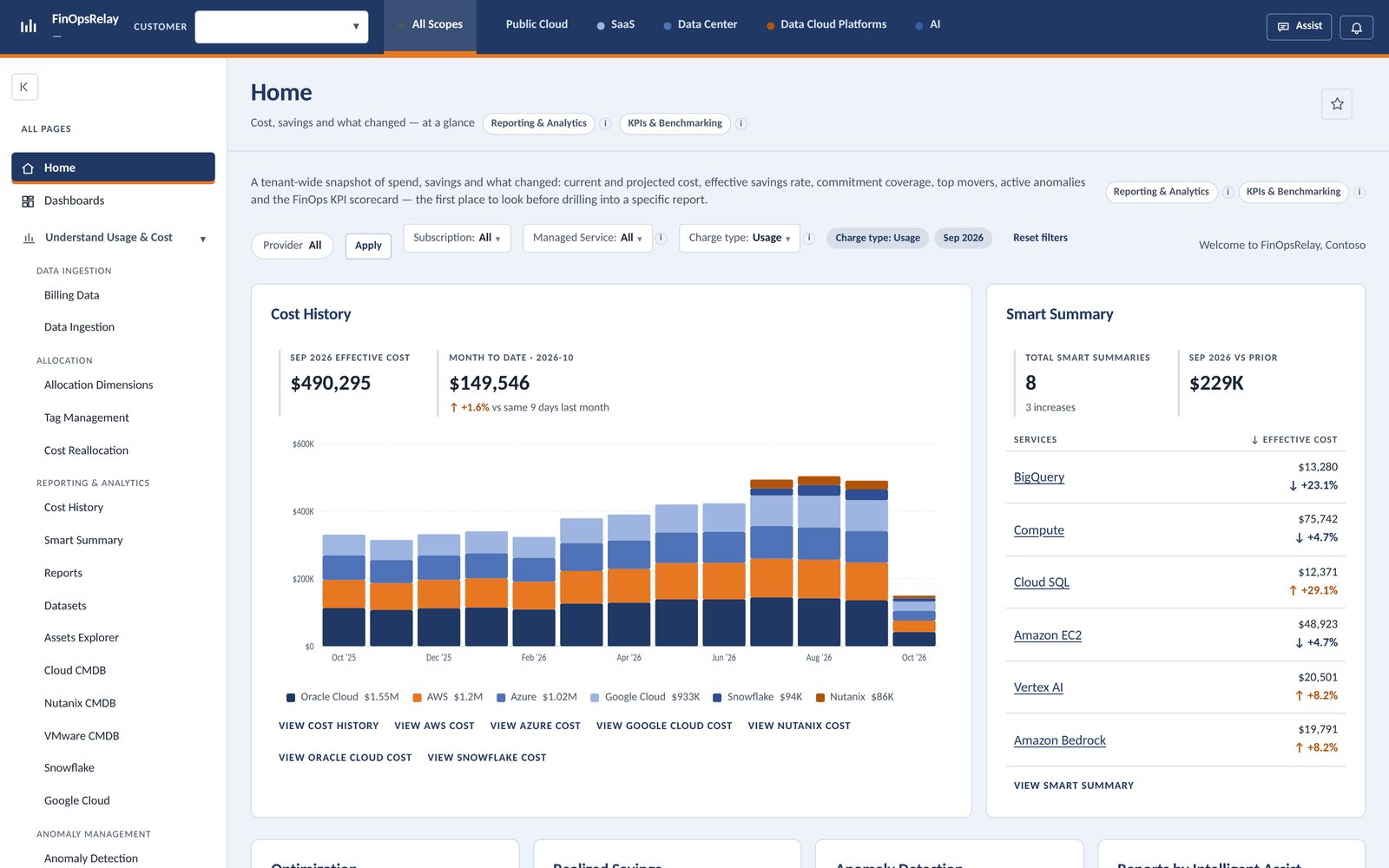
One ledger, every question a FinOps team gets asked.
Pick an organizational unit and every figure in the application narrows to the accounts it owns. The filter is applied inside the query, so no dashboard can forget it.
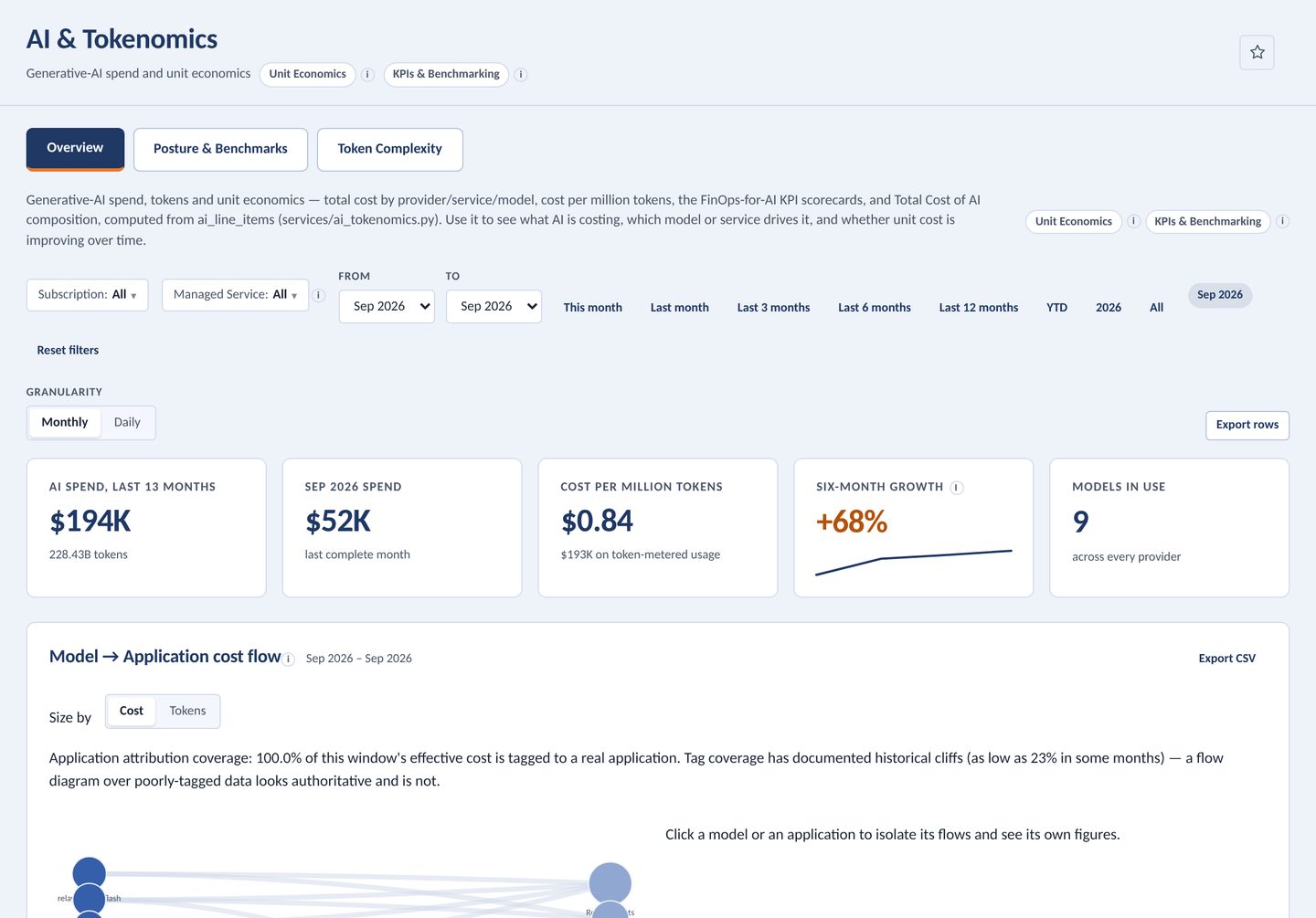
Know what a million tokens costs you.
Generative-AI spend by provider, service and model, with cost per million tokens tracked month over month and a model-to-application cost flow.
- Cost per million tokens recomputable from every row
- FinOps-for-AI posture and benchmark scorecards
- Bedrock, Azure AI Foundry and Vertex AI views
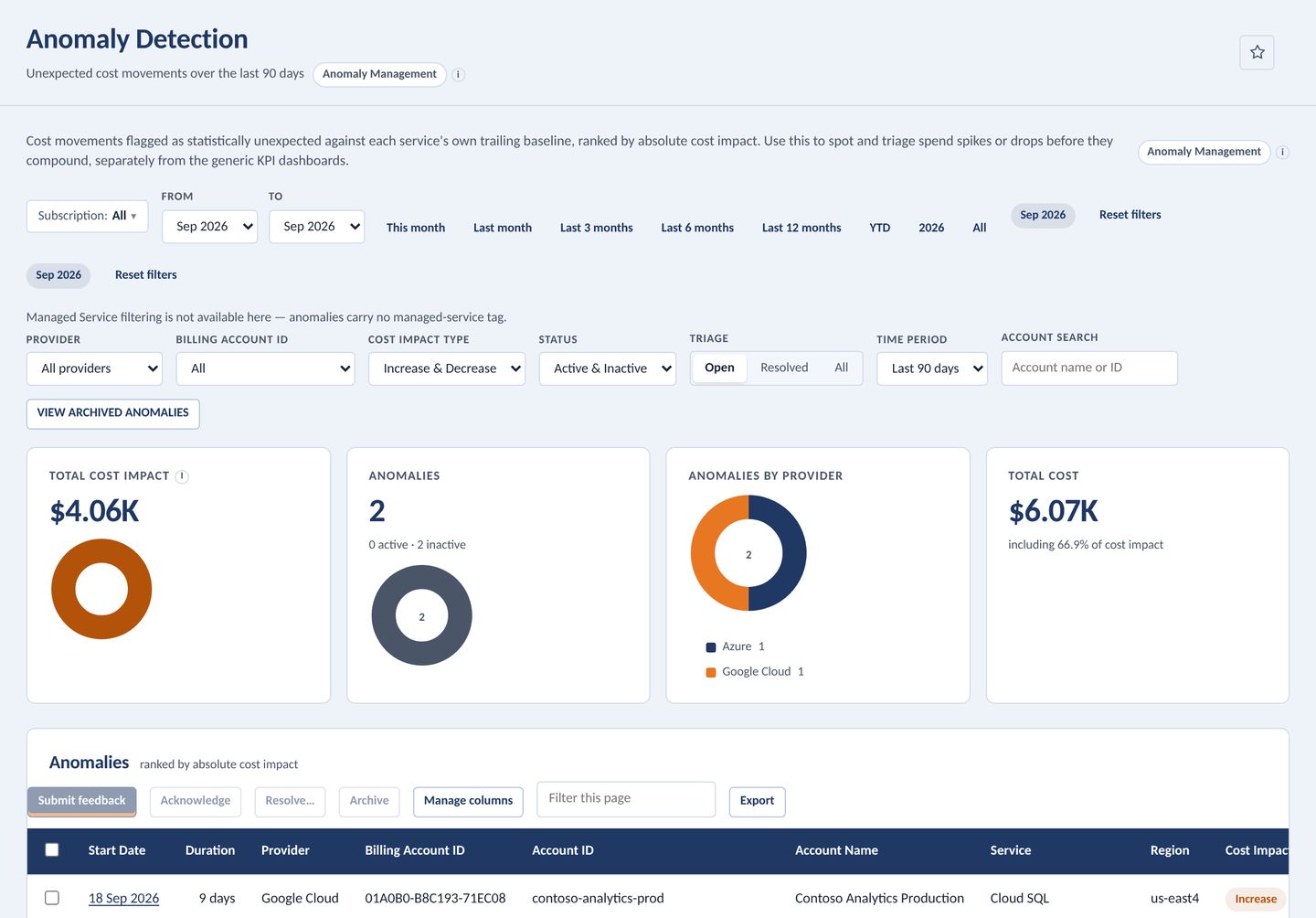
Every spike drills into the day that caused it.
Ninety days of cost anomalies ranked by impact, where impact is incurred cost minus expected cost, read straight from the facts.
- Breakdown by provider and account
- Triage status on every anomaly
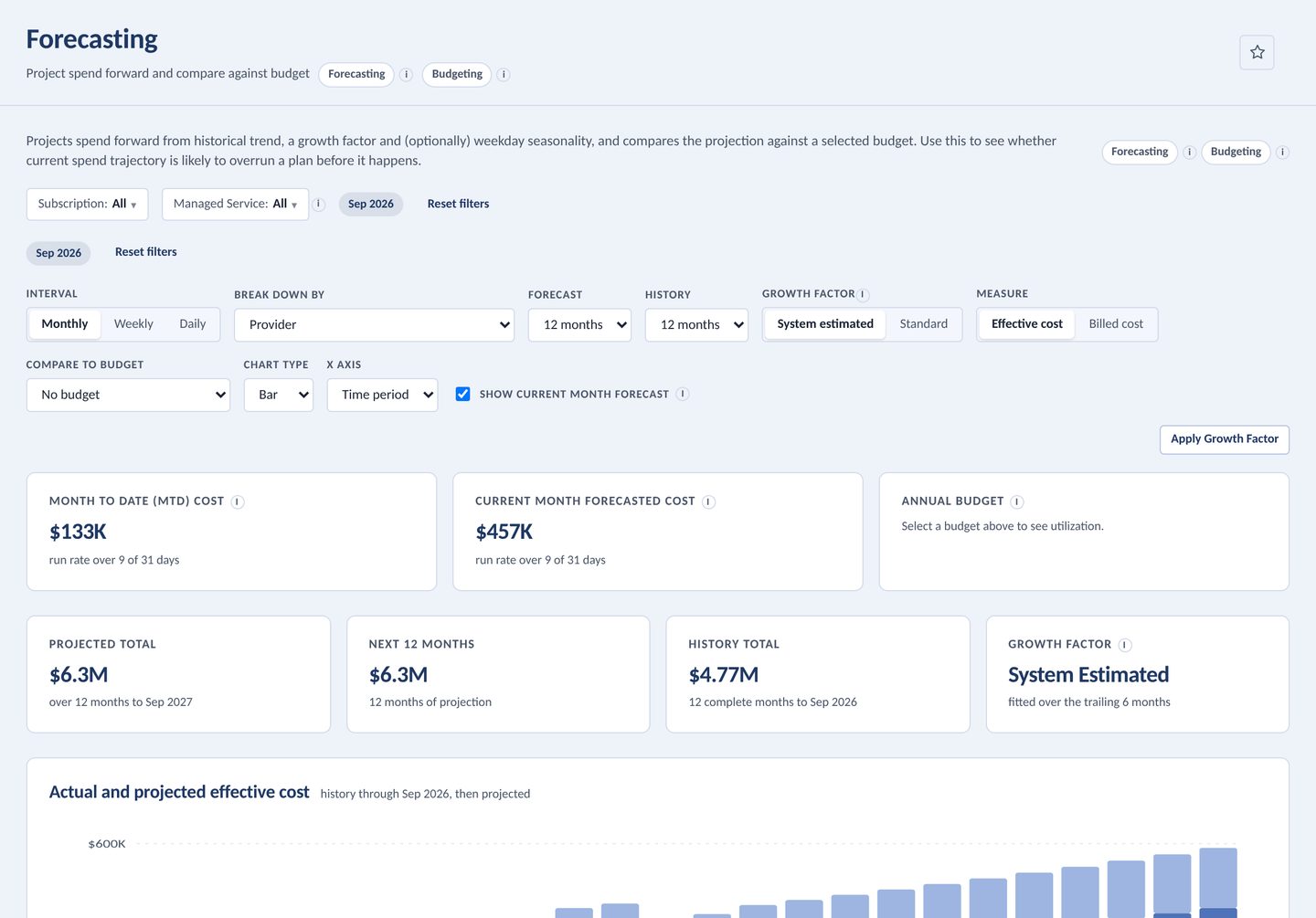
Project 36 months and see where budget breaks.
Forecast monthly, weekly or daily with growth factors, compare against a budget, and save snapshots you can replay later.
- Level shifts detected and fitted around
- Weekday seasonality on daily projections
- One-off charges kept apart from the trend
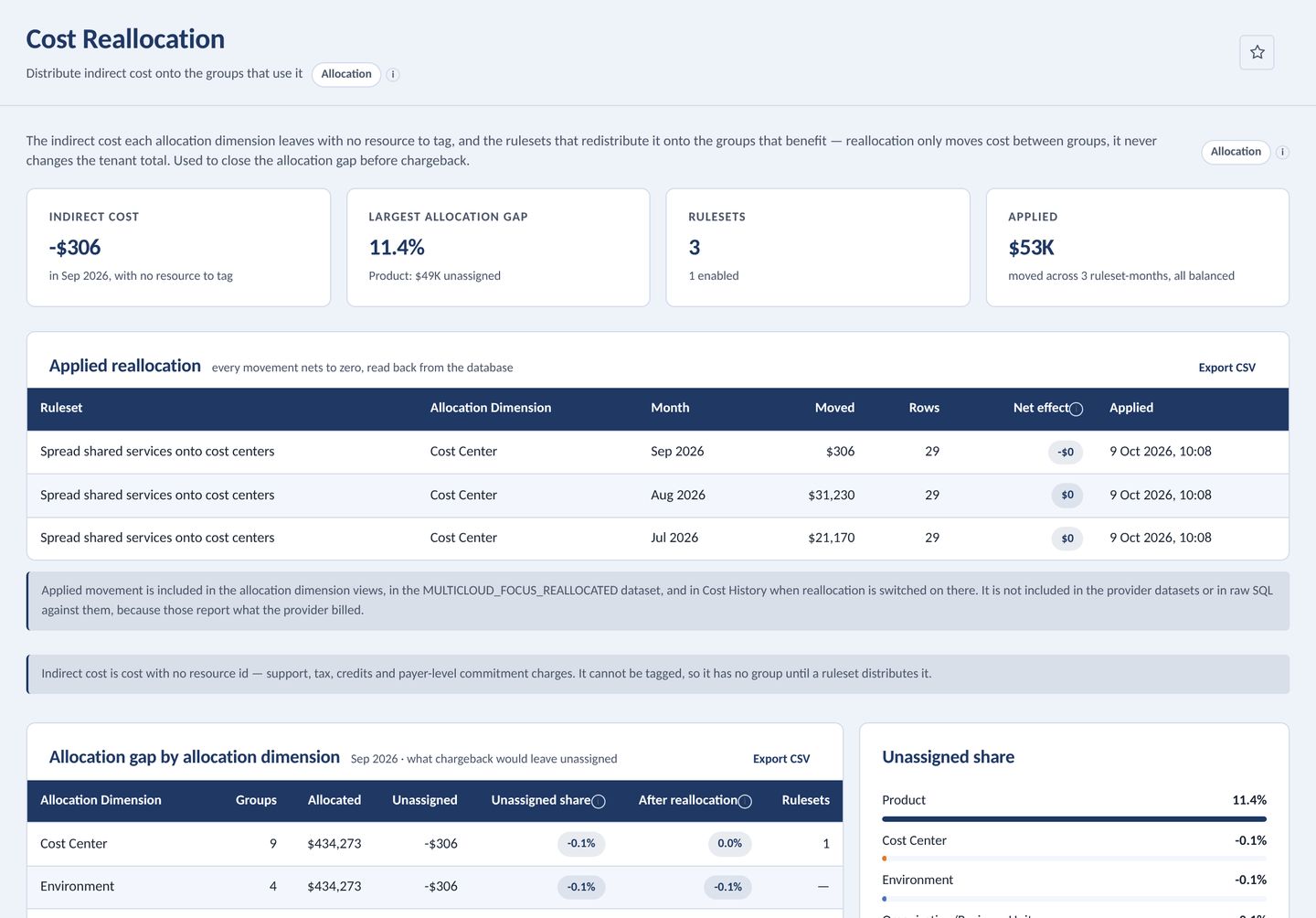
Close the allocation gap before chargeback.
Tax, credits and payer-level commitments belong to no team. Reallocation rulesets spread them onto the groups that benefit, with a preview first and a one-call undo.
- Every movement nets to zero, read back from the database
- Tenant and dimension totals never move
Recommend savings, then prove you banked them.
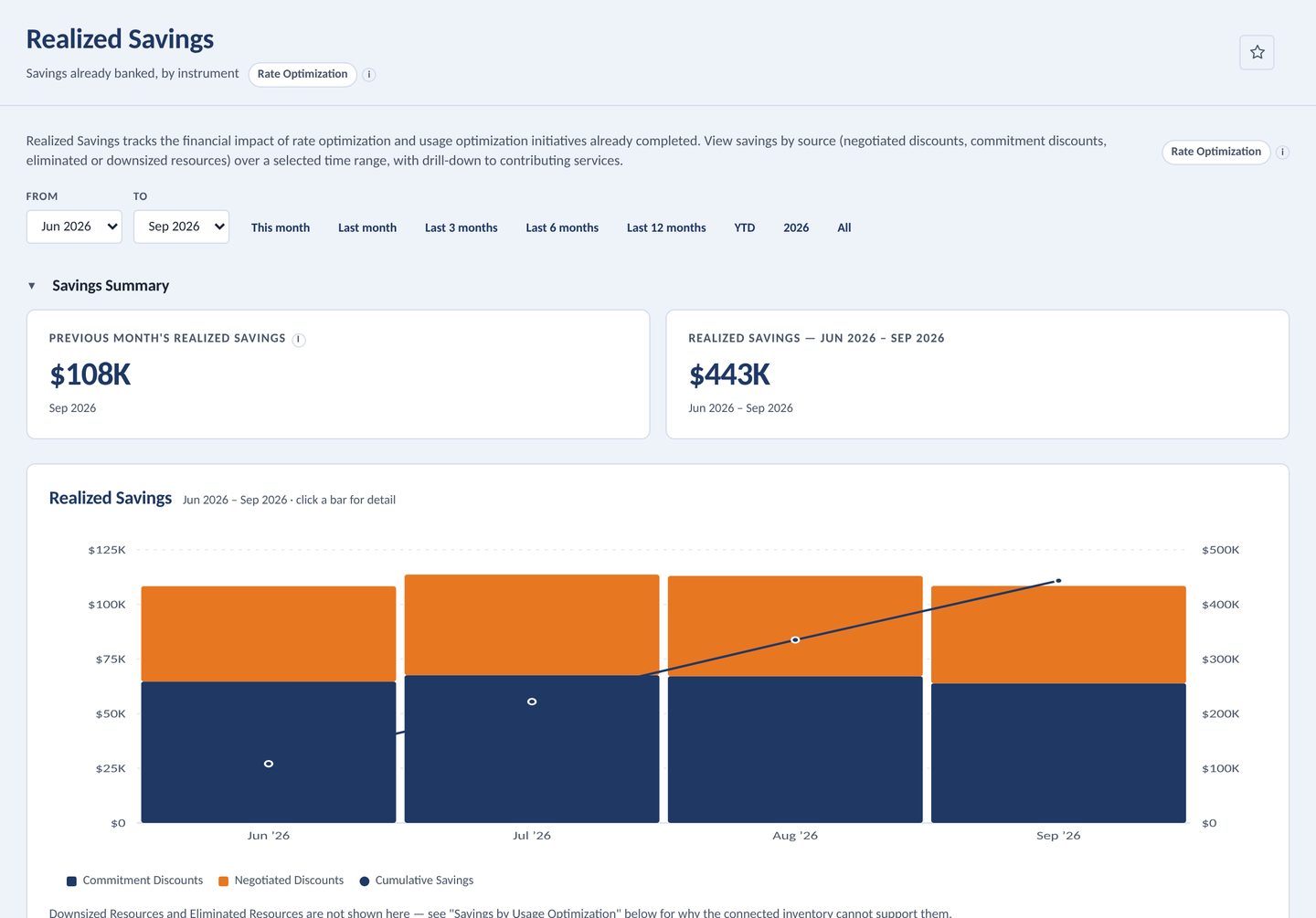
Rightsizing, commitment purchases and waste are sized from real uncovered spend. Realized Savings splits what you kept into rate and usage optimization, and it reconciles with Cost History.
- Fit status computed against your efficiency targets
- Commitment inventory, coverage and utilization
Shows its math.
Measures are the documented formulas, and reports are plain SQL against named datasets. Queries written against AWS CUR or FOCUS column names run unchanged.
Measures
Effective Cost       = Cost + Amortized Cost
                       − Upfront Fees − Prepays
Commitment Coverage %= on-demand equiv. of covered
                       ÷ total on-demand equiv. × 100
Effective Savings Rate= savings from all discounts
                       ÷ on-demand equiv. spend × 100
Realized (Downsizing)= (daily before − daily after)
                       × days in month
Report query
SELECT BillingPeriod        AS "Month",
       ServiceProviderName  AS "Provider",
       SUM(EffectiveCost)   AS "Cost"
FROM   MULTICLOUD_FOCUS
GROUP BY 1, 2
-- SELECT only · one statement · read-only
-- connection · wall-clock deadline
The checks that run on every build.
A test suite asserts the things that would otherwise rot quietly. A sample from the ledger:
One container. Your network. Your data.
No build step
Python standard library and vanilla ES modules. SQLite is the analytics engine. Starts with one command.
Direct cloud connections
Connect Azure, AWS and Google Cloud accounts, or read Cost Management exports straight from blob storage.
Enterprise sign-in
SAML SSO, SCIM provisioning, role-based access and Azure Container Apps Easy Auth.
Credentials stay put
Stored server-side and never returned to the browser. Reads report only that credentials exist.